
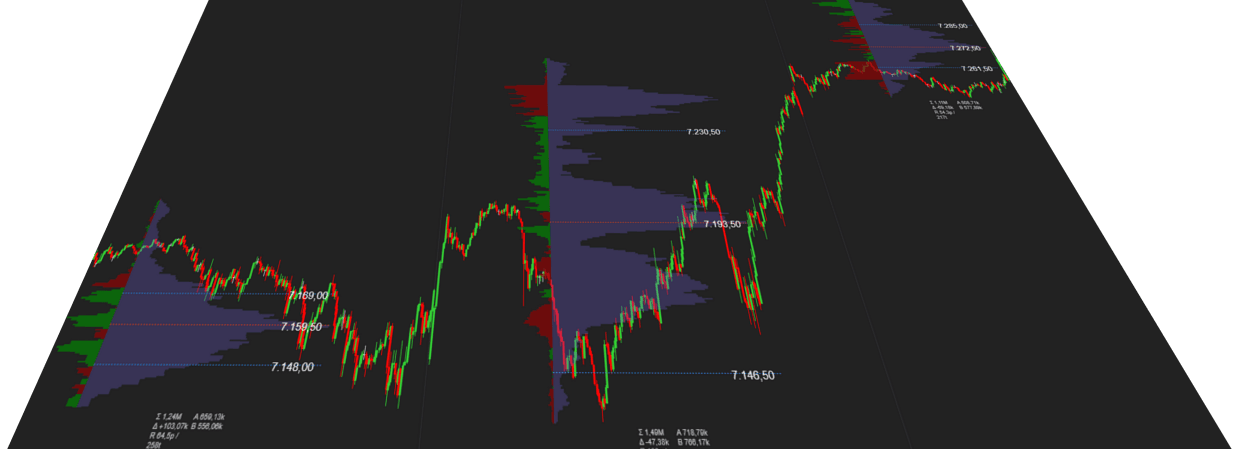
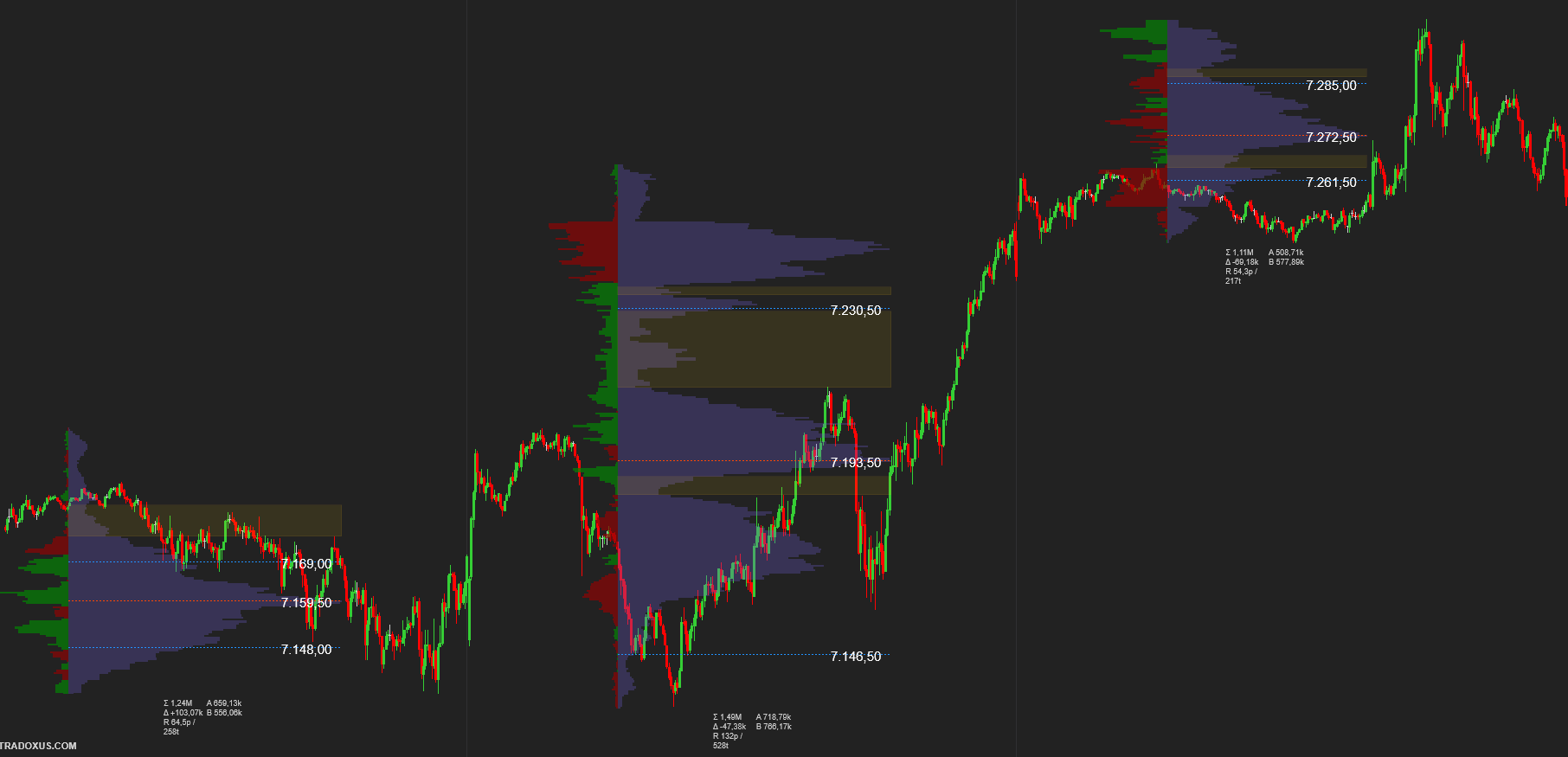
Multi-session
Compare today, yesterday, and last week
Multiple RTH sessions on chart—newest first—with extended POC and VAL lines across each session area.
NinjaTrader 8 · Volume Profile, TPO & Delta
Master Volume Profile TRADOXUS puts session profiles, custom-range analysis, TPO structure, delta, and automated LVNs on one chart—built for serious NinjaTrader 8 traders.
One indicator—session VP, custom ranges, TPO, delta, and LVNs.
Product gallery
Session profiles, multi-session context, LVN zones, composite VP/delta, relevant delta highlights, and order-flow bias—captured directly from NinjaTrader.
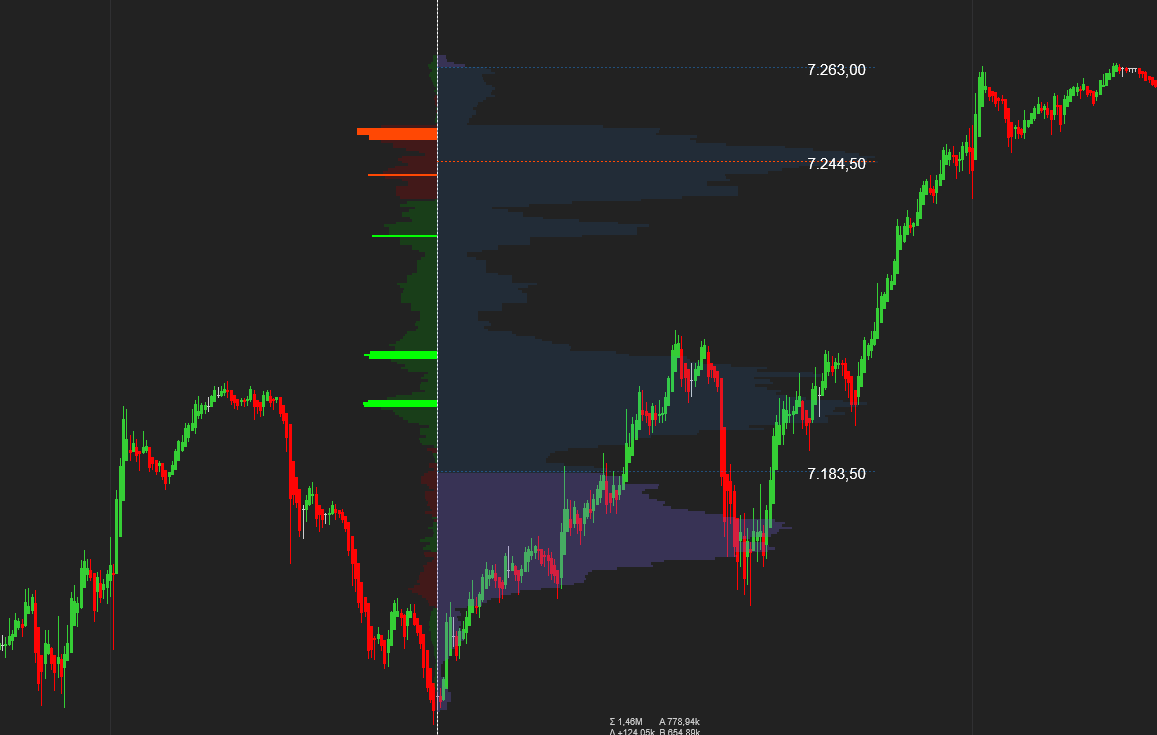
Multi-session
Multiple RTH sessions on chart—newest first—with extended POC and VAL lines across each session area.
VP Region drawing tool
VP Region lets you highlight any time range on chart—the indicator builds a full profile for FOMC windows, opening ranges, or swing legs.
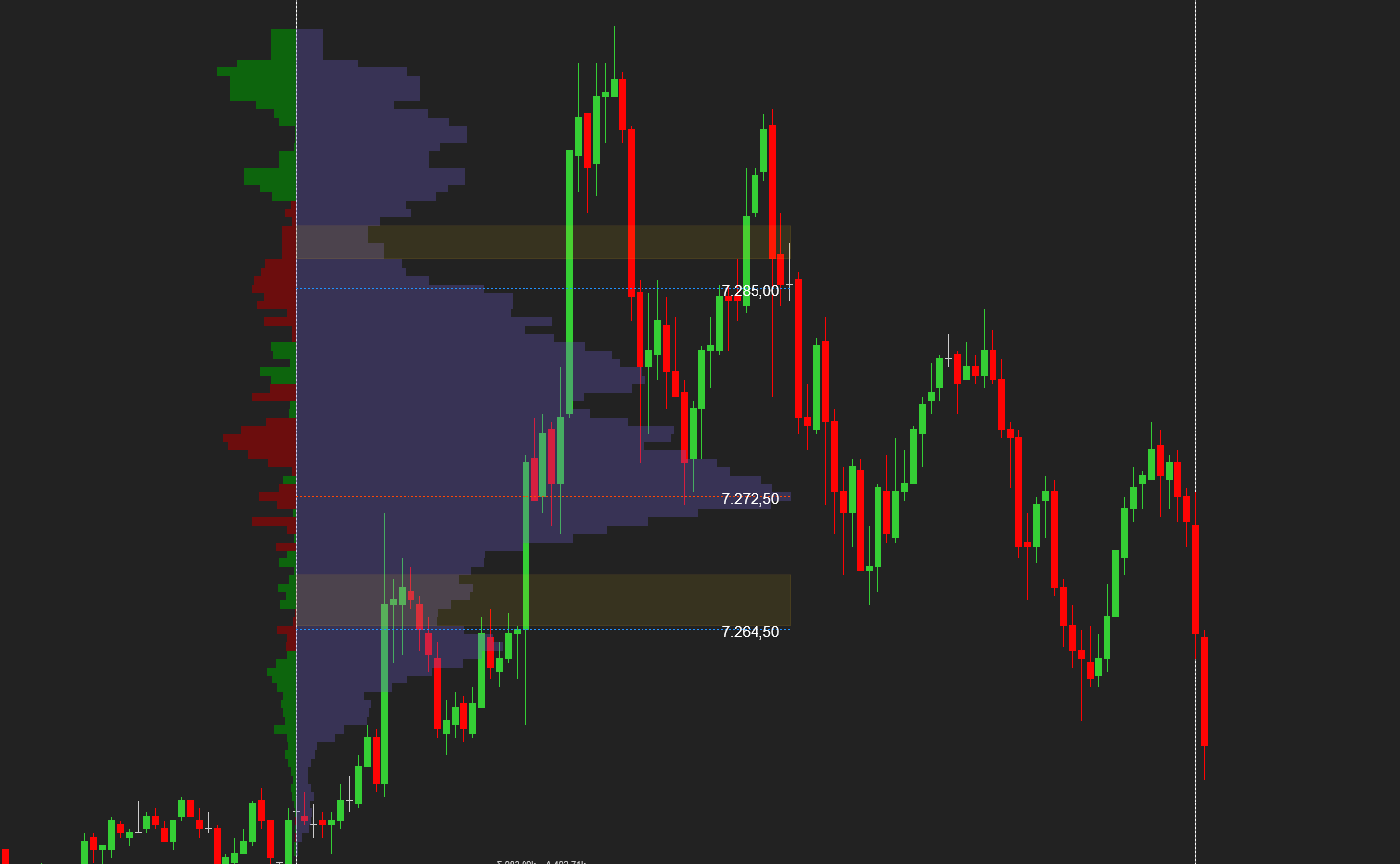
LVN detector
Automated interior gap detection between volume hills—filtered by POC-relative rules and value-area context.
Delta profile
Bid/ask delta bars per price alongside the volume profile—positive and negative bias where the fight happened.
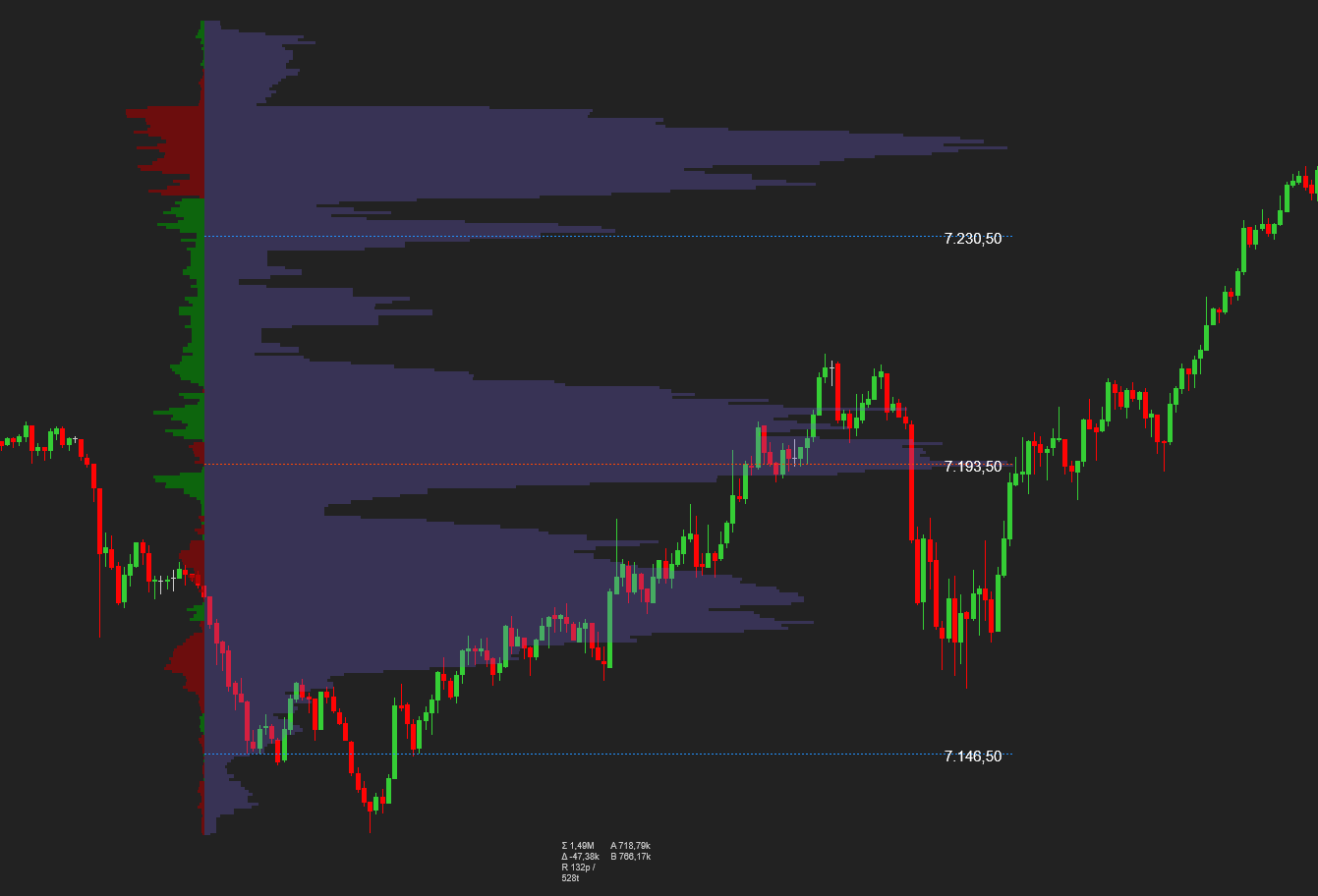
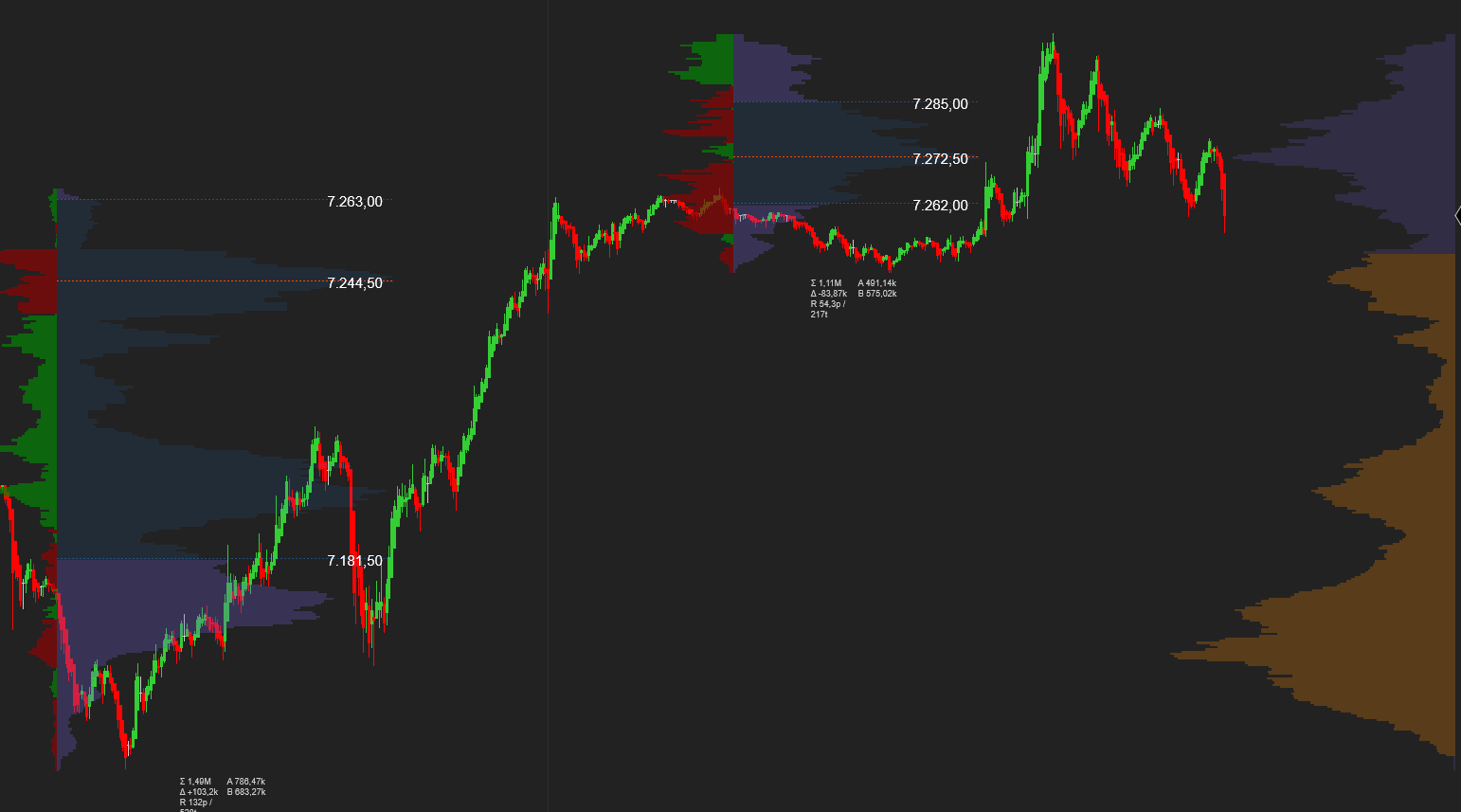
VP + Delta composite
Composite mode blends VP histogram and delta bars in one profile—or show volume only, delta only, or both with adjustable width share.
Relevant delta
Cut through noisy delta prints—automatically emphasize price levels where delta conviction aligns with volume structure and value-area context.
The problem
By the time your chart is readable, the move is already underway. Master Volume Profile TRADOXUS fixes that.
Every volume trader knows this
One indicator. Full control.
Session profiles, custom ranges, TPO structure, delta, and LVN zones—on your chart, preset by preset. Pick a layout, trade, tweak one setting and switch to Custom automatically.
Chart-native profile engine
Full profile depth without slowing your chart.
What you get
Switch templates per profile type—session profiles and custom-range profiles can use different render modes independently.
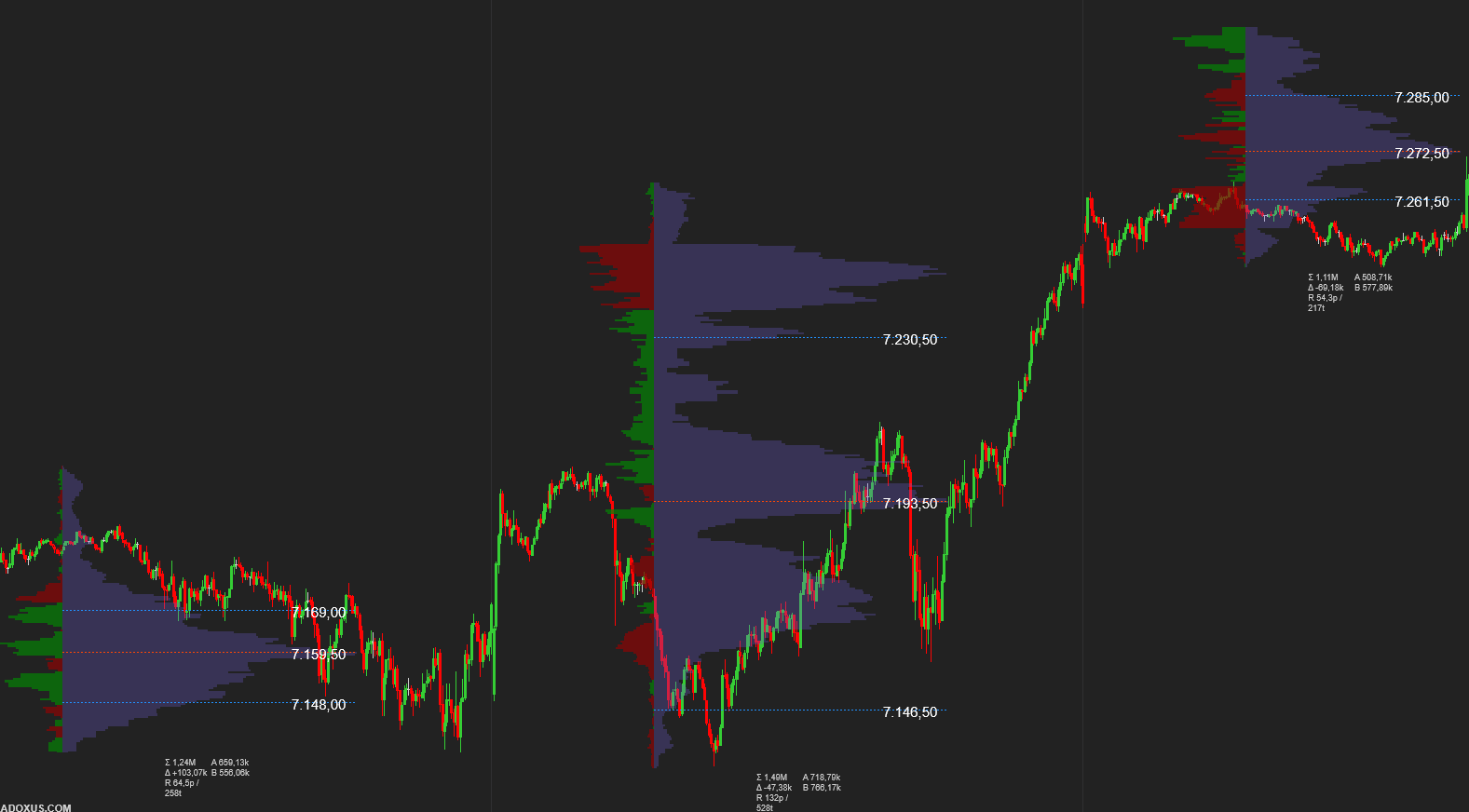
Histogram of traded volume at each price—POC, VAH, and VAL at a glance.
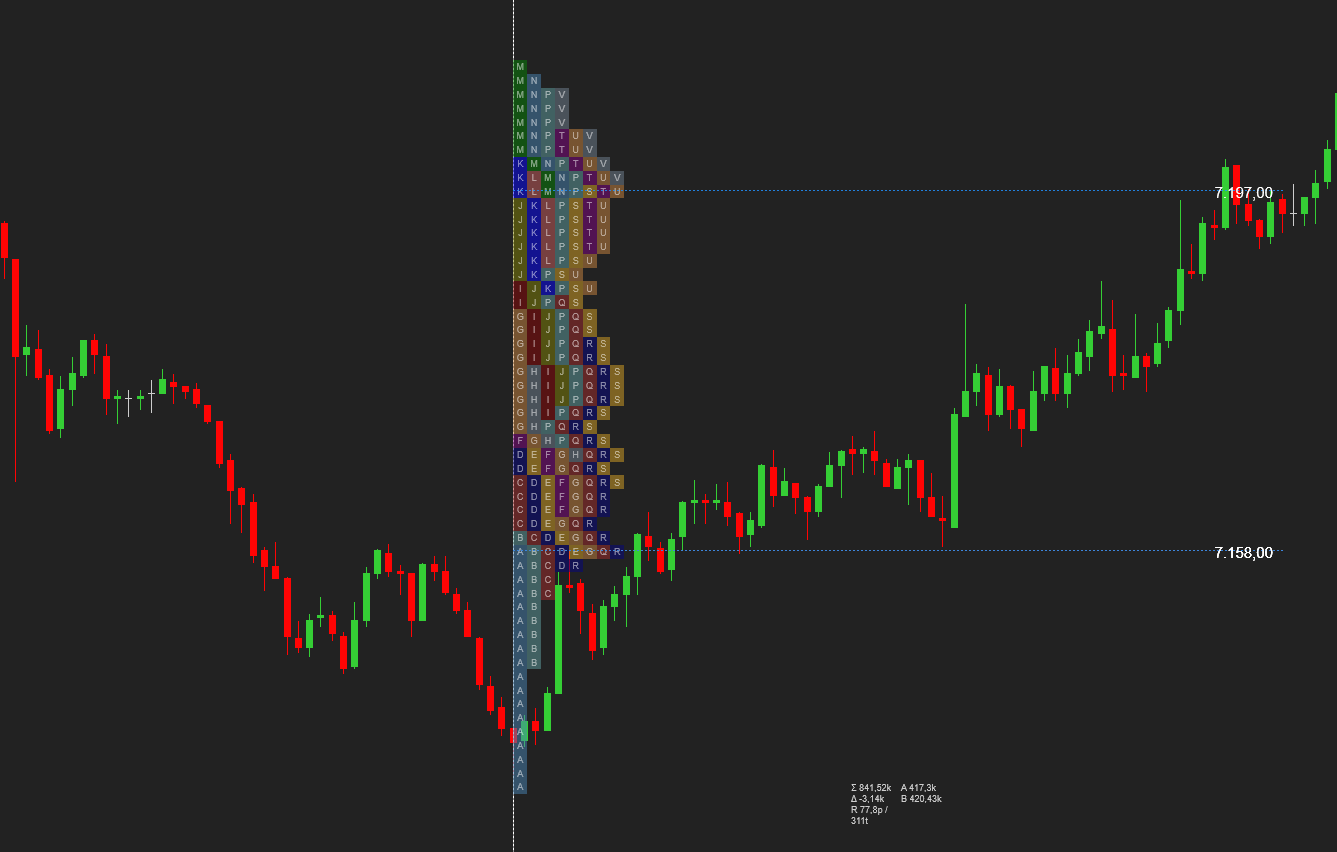
Classic market-profile letters and blocks showing time spent at price.
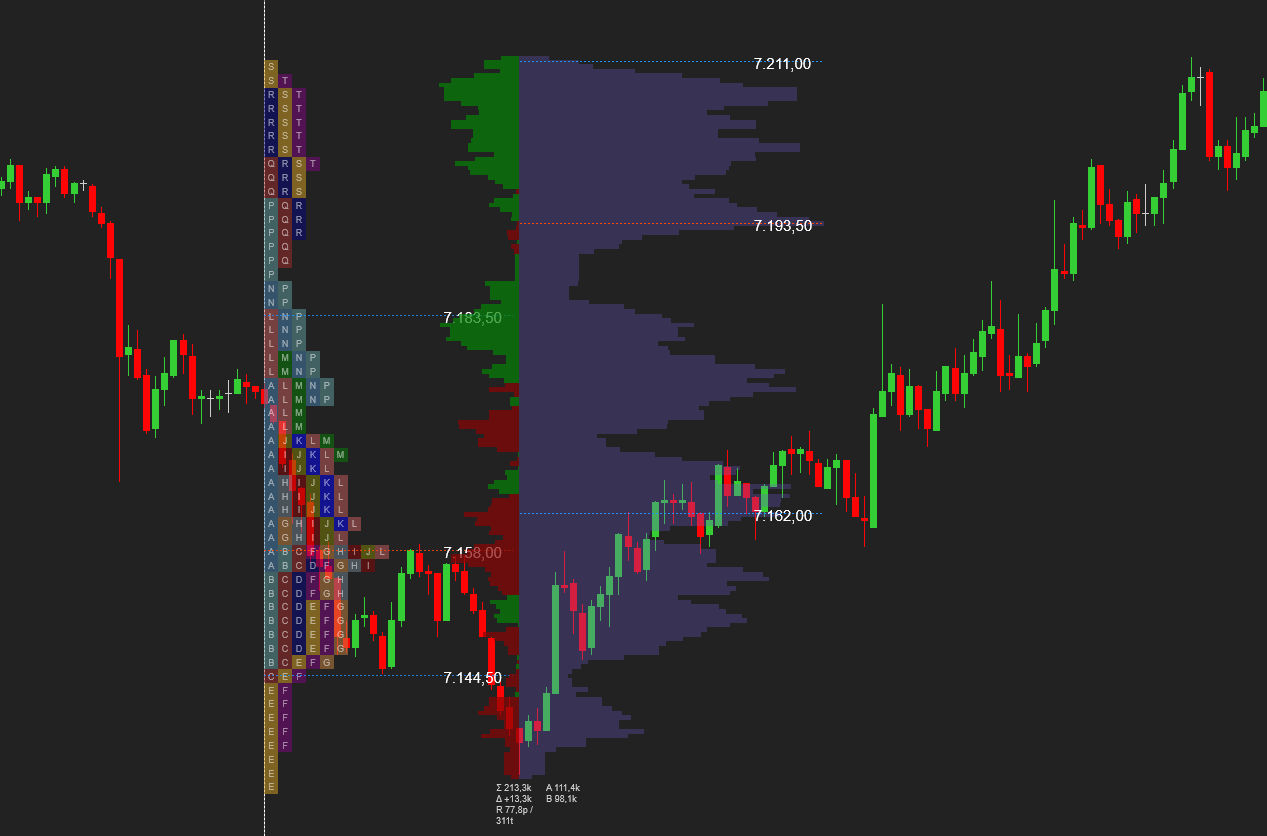
Side-by-side TPO and volume bands—time structure and volume conviction together.
Show multiple RTH sessions on chart (newest first). Compare today vs yesterday vs last week without reloading.
Draw any zone with VP Region and get instant VP, TPO, or composite analysis with POC, value area, and delta.
Automatically finds low-volume nodes—interior gaps between volume hills—filtered by POC-relative rules and value-area context.
Bid/ask delta bars per price level—VP only, delta only, or composite VP+delta with adjustable width share.
Filter noisy delta prints and emphasize price levels where delta conviction aligns with volume structure and value-area context.
Total volume, net delta, range, and ask vs bid volume—compact context right under each session or custom region.
One-click access to preset, session mode, POC/VA toggles, opacity, TPO period, and market times—without drowning in settings.
Session intelligence
Your levels should stay visible while price moves—not disappear after the open. Multi-session display, split pre-market/RTH, configurable session times, and extended POC & VAL lines across the full session area.
Layout presets
Pick a preset matched to your style. Change any parameter and the indicator switches to Custom automatically—no fighting locked configs.
Preset gallery
Intraday TPO+VP, multi-day VP, Analyst TPO, Scalper, Session-only, or full Custom—switch presets without digging through settings.
Intraday · TPO + VP
Day traders — split RTH/pre-market, composite TPO+VP, 30-minute periods
Multi-day · VP
Swing traders — full-day sessions, extended POC/VAL lines
Analyst · TPO
Market structure focus — full-day TPO, 68% value area
Scalper · VP focus
Fast intraday context — narrow VP band, split sessions
Session · VP only
Clean multi-session volume profiles without TPO
Custom
Every parameter unlocked — your setup, your rules
Who is this for
If you trade from value, acceptance, rejection, and structure—this is your chart.
How it works
Under five minutes from install to your first preset. Native NinjaTrader chart rendering with profile caching across sessions and regions.
Step-by-step
1) Add Master Volume Profile TRADOXUS
Install Master Volume Profile TRADOXUS on your NinjaTrader 8 chart.
2) Choose a layout preset
Pick Intraday, Multi-day, Scalper, Analyst, Session-only, or Custom.
3) Sessions render automatically
POC, value area, and optional TPO/delta appear per session.
4) Draw VP Region
Highlight any time range for instant custom-range analysis.
5) Enable LVN Detector
Surface low-volume nodes on VP profiles automatically.
6) Use Quick Config
Adjust preset, opacity, VA %, and TPO on the fly.
Why Tradoxus?
Most volume profile tools stop at a histogram. Master Volume Profile TRADOXUS is a full profile engine—session, range, TPO, delta, and LVNs in one workflow.
Typical VP tools vs Tradoxus
Pricing
Billed monthly in USD. Cancel anytime from your account.
Monthly
Billed monthly
$59/mo effective
Before payment you will confirm your NinjaTrader account email for license activation (can differ from your Tradoxus sign-in). Downloads and renewals appear in your account after payment.
FAQ
Compatibility, licensing, presets, custom ranges, LVNs, and support.
It’s built to replace a stack of separate tools—session VP, custom ranges, TPO, delta, and LVN detection in one indicator (Master Volume Profile TRADOXUS) plus the VP Region drawing tool.
NinjaTrader 8 on Windows. The indicator runs natively on your chart—no external servers or data feeds beyond what you already use.
Yes. Use composite VP + delta mode to blend histogram and delta bars in one profile, or show volume only, delta only, or both with adjustable width share. Enable Highlight Relevant Delta to emphasize conviction levels that align with volume structure.
Yes. Select the TPO + VP template for composite profiles with adjustable width share between TPO and volume bands.
Yes. Set Sessions Visible to show multiple RTH sessions. Each gets its own profile, levels, and optional summary stats.
VP Region lets you draw a time range on chart. Master Volume Profile TRADOXUS builds a full profile (VP, TPO, or both) for that exact zone.
Low Volume Nodes are price levels with unusually low traded volume—often areas of fast movement or imbalance. The detector finds them automatically using POC-relative rules, neighbor hills, and value-area filters.
Yes. Split Session mode with dedicated colors for off-session vs RTH volume, POC, and value area.
Fully. Start with a preset, or switch to Custom for complete control over templates, colors, opacity, TPO periods, delta, LVN rules, and more.
Yes. Enable Use Tick Replay Granularity when tick replay data is available for finer volume and delta allocation.
We don’t offer a time-limited trial on this page. Review plans in the pricing section, see tradoxus.com/refund for refund terms, or email us before you buy if you need compatibility or licensing details.
Email contact@tradoxus.com with your NinjaTrader version, chart instrument, and a screenshot. We help with install, presets, and configuration.
Stop guessing where volume and acceptance actually formed.
Markets move between acceptance and rejection. Volume Profile and TPO show where that battle happened. Delta shows who won it. LVNs show where price is likely to accelerate.
NinjaTrader 8 · Futures, equities & instruments with volume data
One chart. Every profile you need.
Master Volume Profile TRADOXUS — professional market profile analysis for NinjaTrader. Install once, pick a preset, trade with full session context.